

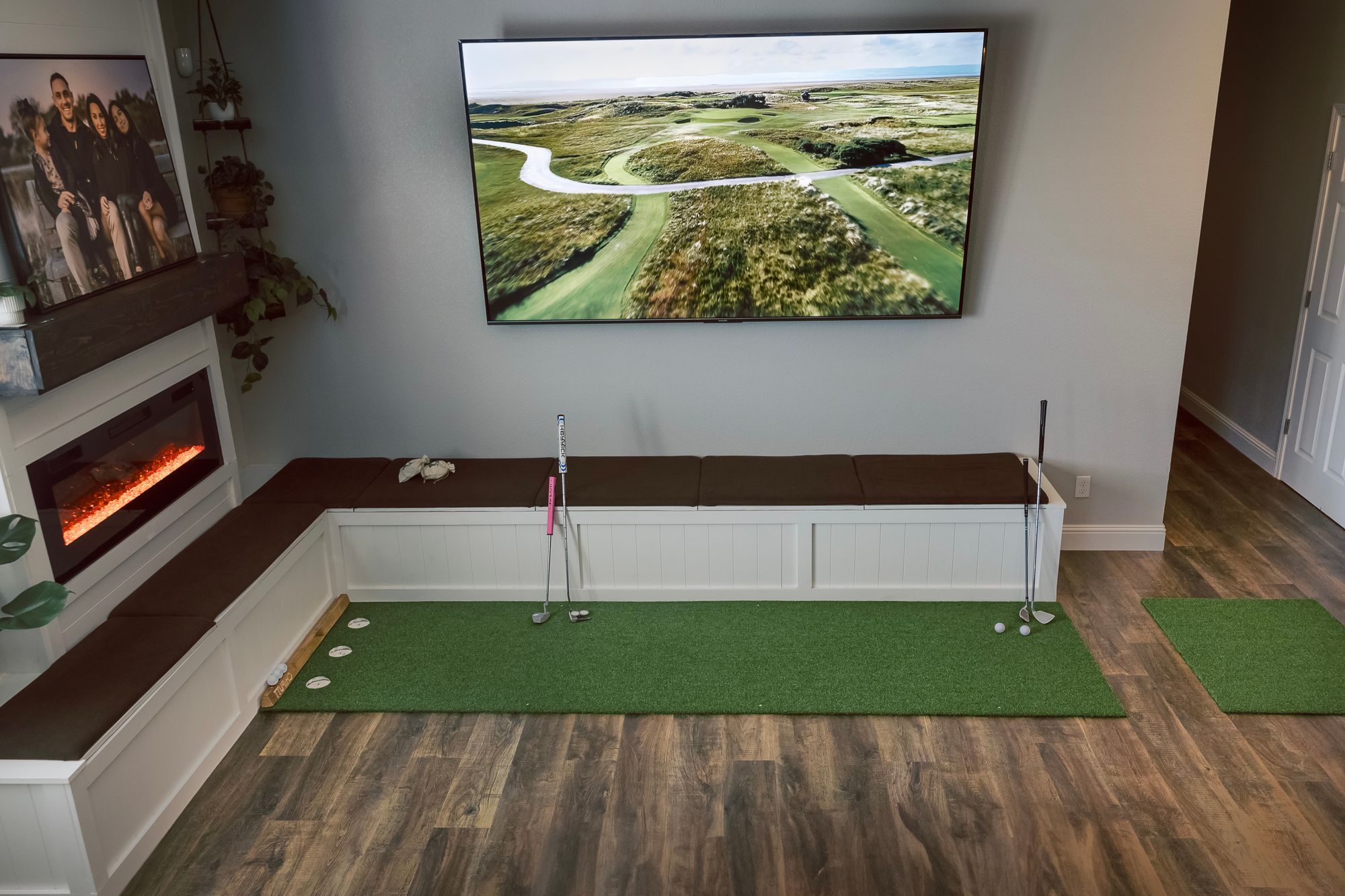
Two layers of software
Most setups have two layers.
- The monitor maker's software. Garmin Golf and Home Tee Hero, the Rapsodo Golf app, FlightScope FS Golf, the SkyTrak app, Foresight's Premier and Foresight app, and Uneekor's software. You use it to register the unit, update firmware and practice. Most of them put course play behind a membership.
- A third-party simulator program, if you want one. GSPro, E6 (TruGolf now sells it as E6 Connect, E6 Apex and E6 Golf 2026), Awesome Golf, The Golf Club 2019 and Creative Golf are the common ones. Each has its own license, its own device requirements and its own course library.
You don't need the second layer. But if you want it, the first layer often decides whether you're allowed to use it.
Where the software runs
On the launch monitor itself
- Garmin Approach R50. It has a 10-inch touchscreen with Home Tee Hero built in, and it sends the picture to a TV or projector over HDMI. Garmin says course play on the device needs a Garmin Golf membership. Third-party programs connect over Wi-Fi, and GSPro recommends using the R50's own hotspot.
On a phone or tablet
- Garmin Approach R10. Pairs with the Garmin Golf app on your phone. Home Tee Hero course play needs a Garmin Golf membership.
- Rapsodo MLM2PRO and MLM2XPRO. Run in Rapsodo's mobile apps. The MLM2XPRO uses the new Rapsodo Golf app; Rapsodo says the old MLM2PRO app won't work with it. Rapsodo also has a Windows app, and its 4K Studios courses are only in that PC app.
- FlightScope Mevo+ and Mevo Gen2. Run in the free FS Golf app on iOS, Android or PC, over the unit's own Wi-Fi. FlightScope says no internet connection is needed.
- SkyTrak ST MAX. Runs in the SkyTrak app. SkyTrak lists Windows, macOS and iOS (Apple M1 chip or newer) and Android. (Its FAQ says Macs aren't supported for the older SkyTrak+.) The ST MAX connects by Direct Wi-Fi, by your home network, or by USB-C to a Windows PC. SkyTrak's quick start says to set up Direct Mode first.
- Awesome Golf runs on Windows, Apple Silicon Macs, iOS, Android and ChromeOS. E6 also runs on iPad.
On a Windows PC
- GSPro is Windows only. Its knowledge base lists an RTX 3060-class graphics card and 16 GB of RAM for smooth 1080p.
- Foresight GC3 and Bushnell Launch Pro use Foresight's Premier software on a Windows 10/11 PC. Foresight's phone app handles setup and data; full simulation happens in Premier.
- Uneekor EYE MINI LITE needs a Windows PC and connects by Ethernet. Uneekor publishes its recommended PC specs on the product page and says they're mandatory for its data-heavy features, so check them before you buy a computer.
- The Golf Club 2019 (simulator edition) is Windows only and connects through a separate interface app for each monitor brand.
What about the new Foresight GC2 (2026)? Foresight says a gaming PC or iPad runs its software, and the GC2 bundle includes 30 days of Foresight+ Gold with Course Pass Pro. But as of Oct 19, the GC2 isn't on the supported-device lists for Premier or the Foresight app yet. Foresight's own pages say Awesome Golf doesn't support the GC2, and its GSPro page says "GC2 not supported" (that line may predate the 2026 model). We'll update this when Foresight does.
Compatibility grid: which programs work with which monitor
Checked Oct 19, 2026, against the monitor maker's and the software maker's own pages. "Listed" means the software maker's official list or setup guide names that monitor. "Not listed" means it doesn't; that isn't the same as "doesn't work". "Conflicting" means the two makers disagree. "Not confirmed" means we found no official statement either way.
| Launch monitor | Maker's own courses | GSPro (Windows) | E6 | Awesome Golf | TGC 2019 (Windows) |
|---|---|---|---|---|---|
| Garmin R10 | Home Tee Hero on phone/tablet; Garmin Golf membership [1] | Listed. Bluetooth to the PC via GSPro Connect; no putting, use auto-putt [2] | Listed. Launched from the Garmin Golf phone app; phone and PC on the same network [3] | Listed. Direct Bluetooth; Garmin membership not required [4] | Listed. SimLink phone app relays data; must stay open [5] |
| Garmin R50 | Home Tee Hero on the device; Garmin Golf membership [6] | Listed. Wi-Fi via the R50's hotspot (recommended) [7] | Listed (added Jan 2025) [8] | Listed. Wi-Fi via the R50's hotspot; membership not required [9] | Not listed [10] |
| Rapsodo MLM2PRO | Rapsodo app; Core membership after a 21-day trial [11] | Listed. Needs Rapsodo's paid tier; re-authenticate every 24 hours [12] | Listed. iOS or Windows; 24-hour authorization [13] | Listed. Needs Rapsodo's paid tier; re-authorize every 24 hours [14] | Not listed [10] |
| Rapsodo MLM2XPRO | Rapsodo Golf app; Core after a 21-day trial [15] | Conflicting: Rapsodo says yes; GSPro's list names only the MLM2PRO [15][2] | Not confirmed: Rapsodo says yes; E6 doesn't name the model [15] | Conflicting: Rapsodo says yes; Awesome Golf lists only the MLM2PRO [15][16] | Not listed [10] |
| FlightScope Mevo+ | FS Golf (free); 12 E6 courses included [17] | Listed. Wi-Fi only, via GSPro Connect [18] | Listed. Wi-Fi; close FS Golf first [19] | Listed. Pro Package not required [20] | Listed. Wi-Fi; activation code from FlightScope [21] |
| FlightScope Mevo Gen2 | FS Golf (free); 8 E6 courses included [22] | Listed [2] | Listed by FlightScope; E6's guide doesn't name Gen2 [22][19] | Listed. Pro Package not required [16][20] | Not listed [10] |
| SkyTrak ST MAX | SkyTrak app; Core or Elite for courses; 1 year of Core included [23] | Conflicting: SkyTrak says yes; GSPro says SkyTrak isn't supported [24][2] | Not confirmed for ST MAX (E6 confirmed SkyTrak+ in 2023) [24][25] | Not listed [16] | Not confirmed for ST MAX (ProTee names SkyTrak+ and original); needs an active SkyTrak plan [26] |
| Foresight GC2 (2026) | Foresight+ (included 30 days of Gold); not yet on device lists [27] | Not supported per Foresight (may refer to the older GC2) [28] | Not confirmed [29] | Not supported per Foresight [30] | Not listed [10] |
| Foresight GC3 | Foresight+ on Premier (Windows) and app; 30-day trial [31] | Listed. Foresight says Gold or an FSX Play/2020 license; GSPro says FSX Play/2020 [28][32] | Listed. Needs an FSX Play/2020 license, Windows 10 [29] | Listed. Tier not confirmed [33] | Not listed [10] |
| Bushnell Launch Pro | Foresight+ on Premier; 30-day trial; must go online every 45 days [34] | Listed. Paid Gold only; Gold trials don't count [32][34] | Listed by Foresight (Gold or Unlocked); E6's brand list omits Bushnell [29] | Listed. Gold required [35] | Not listed [10] |
| Uneekor EYE MINI LITE | Uneekor software on a Windows PC; 3-month Ultimate trial [36] | Listed. Connector needs Pro or higher; ends if the plan lapses [2][37] | Not confirmed: Uneekor says yes; E6 doesn't name the model [37] | Not listed [16] | Not confirmed: Uneekor says yes; ProTee doesn't name it [37] |
How the shot data gets to the software
It depends on the pairing, not just the monitor:
- Bluetooth straight to the PC. GSPro connects to the Garmin R10 through GSPro Connect, which comes with GSPro; a USB Bluetooth adapter works if the PC has none. Awesome Golf and Creative Golf also pair with the R10 directly.
- Through the maker's phone app. For E6 on a PC, you start it from the Garmin Golf app (Golf Sim > TruGolf E6 Connect > Play on PC), and TruGolf says the phone and PC must be on the same network. TGC 2019 uses a SimLink phone app, and ProTee says it "must stay open at all times."
- Over Wi-Fi. FlightScope units make their own Wi-Fi network, and GSPro connects to the Mevo+ over Wi-Fi only. The R50 and MLM2XPRO also use Wi-Fi.
- By cable. Uneekor units connect by Ethernet. The Bushnell Launch Pro connects to a PC by Ethernet or USB-C.
Rapsodo adds a step. You authenticate in the Rapsodo app, close it, then open the partner program. For the MLM2PRO, GSPro and Awesome Golf say to repeat that every 24 hours.
Switching software: what you keep and what changes
You usually keep:
- The launch monitor
- The impact screen or net, the enclosure and the hitting mat
- The projector or TV, as long as the new host device can connect to it
What may change:
- The host device. Moving from a phone or tablet app to GSPro means a Windows PC with a dedicated graphics card; GSPro doesn't run on Mac. Going the other way, Awesome Golf runs on modest hardware, including iPad.
- The maker's tier. See the grid. On a Rapsodo, Foresight, Bushnell or Uneekor unit, adding a third-party program can mean paying the monitor maker more as well.
- The program license. Each program ties its license to something different:
- Awesome Golf: the launch monitor, not the device it runs on. Changing monitors uses its self-service license transfer.
- E6: one computer or device at a time. You move it with "Unbind from Simulator" in the E6 portal.
- GSPro: personal and non-transferable. Changing to a different monitor means converting your license with GSPro's free conversion tool.
- TGC 2019: registered with your PC's machine ID and an activation code. ProTee says moving to a different launch monitor platform is "no longer possible," with one listed exception: a lifetime license can move to ProTee VX.
- Included software can stay behind. FlightScope says the included E6 bundle isn't transferable. Rapsodo says its trial "belongs to the device, not to your account."
- Your history. We found no official way to import rounds or stats from one program into another. Plan on starting fresh.
Use the trials, but read the terms
As listed on Oct 19, 2026:
| Software | Trial | Watch for |
|---|---|---|
| Garmin Golf membership | 30 days free, started in the Garmin Golf app | Then $9.99 a month, or an annual plan. Renews automatically for the same term unless you cancel before the renewal date. |
| Rapsodo Core (MLM2PRO, MLM2XPRO) | 21 days with purchase | Starts at checkout, can't be paused, renews unless cancelled. Some older Rapsodo pages still say 45 days for the MLM2PRO's old Premium plan. |
| Foresight+ (GC3, Launch Pro) | 30 days with Course Pass | Card required. Converts to paid automatically. Bushnell Gold trials don't unlock GSPro. The GC2 (2026) bundle includes 30 days of Gold with Course Pass Pro. |
| SkyTrak | 14 days (Sweetens Cove and game-improvement features) | The ST MAX includes 1 year of Core (FS). Memberships renew annually unless you cancel. |
| Uneekor EYE MINI LITE | 3 months of Ultimate | Packages are annual and nonrefundable. The third-party connector stops when the plan ends. |
| Awesome Golf | 14 days | Awesome Golf says there are no automatic fees at the end of the trial. |
| GSPro | No trial listed | Refund within 7 days minus a $15 fee; copies bought through Foresight or Bushnell are final sale. |
| E6 | Demo download (range plus one course) | Garmin owners can add a free 5-course license. |
A simple way to test before you commit:
- Start with the maker's own app and trial. It comes with the monitor.
- Before the trial ends, decide whether you want a third-party program. Check that it lists your exact monitor (see the grid) and that your PC or tablet meets its requirements.
- If the program needs the maker's paid tier, add both subscriptions together, not just the program's price.
- Put trial end dates in your calendar. Several renew automatically.
Checklist before you buy
- Where will the software run: the monitor, a phone or tablet, or a Windows PC?
- Does the program you want list your exact monitor model?
- Does it need the monitor maker's paid tier too?
- What is the license tied to: you, the PC or the monitor?
- When does each trial end, and does it renew?
Plan the rest of the room in the Flag & Fringe builder, and see "Costs people forget" in our launch monitor guide by budget.
Sources
Checked against the launch monitor makers' and software makers' own pages on Oct 19, 2026. Numbers match the grid. Terms change often, so confirm current details before you buy.
- [1] Garmin R10 manual, Home Tee Hero
- [2] GSPro supported list and FAQ · GSPro R10 guide
- [3] TruGolf, Garmin R10 with E6 · TruGolf, R10 PC connection · Garmin manual, E6
- [4] Awesome Golf R10 guide · Awesome Golf license with launch monitor
- [5] ProTee, TGC 2019 for Garmin R10
- [6] Garmin R50 announcement · R50 manual (HDMI)
- [7] GSPro R50 guide
- [8] E6 release notes (R50 integration) · E6 Golf 2026 FAQ
- [9] Awesome Golf R50 guide
- [10] ProTee TGC 2019 help center (setup guides only for Garmin R10, FlightScope, SkyTrak)
- [11] Rapsodo MLM2PRO product page · Rapsodo FAQ (older 45-day Premium wording)
- [12] GSPro MLM2PRO guide · Rapsodo third-party FAQ
- [13] TruGolf, MLM2PRO with E6
- [14] Awesome Golf with Rapsodo
- [15] Rapsodo MLM2XPRO · MLM2XPRO ways to play
- [16] Awesome Golf launch monitor list
- [17] FlightScope Mevo+ · FlightScope FAQ
- [18] GSPro FlightScope guide
- [19] TruGolf, FlightScope with E6
- [20] Awesome Golf with FlightScope Pro Package
- [21] ProTee, TGC 2019 for FlightScope
- [22] FlightScope Mevo Gen2
- [23] SkyTrak ST MAX · Memberships · ST MAX user guide · Quick start · FAQ
- [24] SkyTrak simulator guide (claims E6, GSPro, TGC 2019)
- [25] TruGolf, E6 on SkyTrak (2023)
- [26] ProTee, TGC 2019 SkyTrak interface · SkyTrak TGC troubleshooting
- [27] Foresight GC2 · GC2 support · SIM IN A BOX · Premier devices · Foresight app devices
- [28] Foresight GSPro listing · Foresight GSPro support
- [29] Foresight E6 Connect for FSX
- [30] Foresight Awesome Golf support
- [31] Foresight+ plans · What is Foresight+ (trial terms)
- [32] GSPro, Foresight and Bushnell requirements
- [33] Awesome Golf GC3 guide
- [34] Bushnell Launch Pro
- [35] Awesome Golf Bushnell guide
- [36] Uneekor EYE MINI LITE
- [37] Uneekor subscriptions · Uneekor connector access
- Also: Awesome Golf supported devices · Awesome Golf licenses · Awesome Golf trial and subscriptions
- Also: GSPro PC specs · GSPro license conversion · GSPro terms
- Also: E6 Connect · E6 manual (unbind) · E6 free Garmin 5-course license
- Also: TGC 2019 setup · TGC platform transfers · Creative Golf
- Also: Garmin R10 launch (30-day trial) · Garmin Home Tee Hero app · Rapsodo memberships